
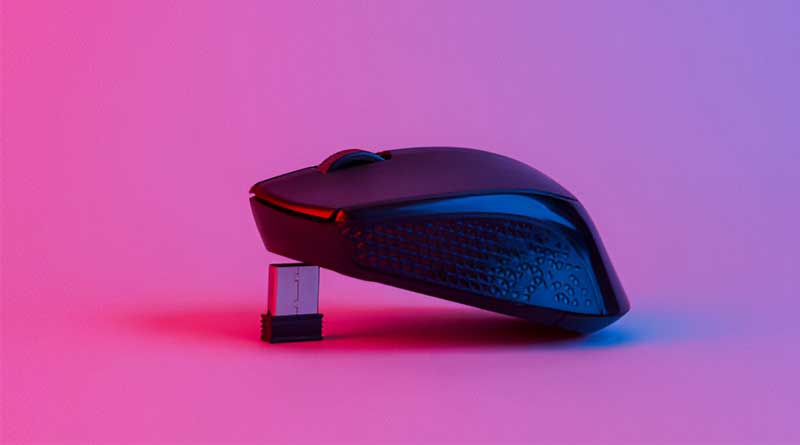
Best Budget Wireless Gaming Mice of 2025
Finding a good wireless gaming mouse doesn’t have to cost a lot. Many affordable options still offer great performance. They are fast, comfortable, and reliable. You don’t need to spend a fortune for low latency and solid build quality. Cheap gaming mice now come with long battery life and responsive buttons. Some even have adjustable DPI and RGB lighting. Whether you play shooters or strategy games, there’s a cheap mouse for you. We’ve tested and compared the best ones. In this guide, you’ll find the top inexpensive wireless gaming mice. These picks balance price, features, and performance. Let’s help you choose the right one without breaking the bank.
1. FFJ Wireless Gaming Mouse

-
DPI range: 800–1600 DPI (adjustable)
-
Connectivity: 2.4GHz wireless with USB receiver
-
Battery life: Rechargeable via USB-C, up to 30 hours
-
Buttons: 6 programmable buttons
The FFJ Wireless Gaming Mouse is a budget-friendly peripheral aimed at casual gamers and office users. With a compact, lightweight design and a comfortable grip, it’s easy to use over long periods. Its wireless performance is solid for everyday tasks, with minimal lag, making it a good pick for those who want a clean desktop setup without sacrificing too much responsiveness. The 1600 DPI might not satisfy competitive gamers, but it’s sufficient for general use and slower-paced games.
The build quality is decent considering the price, though the plastic shell doesn’t feel premium. Its six programmable buttons are a nice bonus at this price point, giving users some flexibility for macros or shortcuts. While it lacks RGB lighting and high-end customization software, the FFJ Wireless Mouse still manages to deliver a pleasant and reliable experience for casual play and productivity. Battery life is solid, and the USB-C charging is a welcome modern touch.
Pros:
-
Affordable and lightweight
-
USB-C rechargeable battery
-
Simple, plug-and-play design
-
Comfortable for small to medium hands
Cons:
-
Limited DPI range
-
No RGB or advanced customization features
-
Basic build quality
-
Not ideal for fast-paced or competitive gaming
2. Razer Basilisk V3 X HyperSpeed

-
DPI range: Up to 18,000 DPI
-
Connectivity: Dual-mode wireless (Bluetooth + 2.4GHz HyperSpeed)
-
Battery: Single AA (up to 285 hours Bluetooth, 235 hours 2.4GHz)
-
Buttons: 9 programmable buttons
The Razer Basilisk V3 X HyperSpeed is a versatile wireless gaming mouse that combines performance, customizability, and long battery life. It features Razer’s signature ergonomic design with a comfortable thumb rest, making it ideal for extended sessions. With a max DPI of 18,000 and dual wireless modes, it delivers quick responsiveness and lag-free gameplay, whether you’re on Bluetooth for everyday use or HyperSpeed for competitive gaming.
Customization is a major strength here. With 9 programmable buttons and Razer Synapse compatibility, you can tailor the mouse to suit your playstyle or productivity needs. Despite relying on a single AA battery, the mouse boasts excellent endurance, meaning you won’t have to swap batteries often. While the lack of RGB lighting may disappoint Razer fans who love their Chroma effects, this omission helps conserve power and reduce weight.
Pros:
-
Dual wireless connectivity options
-
Excellent battery life
-
Comfortable ergonomic shape
-
Highly customizable buttons
Cons:
-
No RGB lighting
-
Slightly heavier due to AA battery
-
Lacks onboard DPI indicator
-
Requires Synapse software for full customization
3. Redragon M810 Pro

-
DPI range: Up to 8000 DPI
-
Connectivity: 2.4GHz wireless + USB-C wired option
-
Battery life: Up to 70 hours on a single charge
-
Buttons: 8 programmable buttons including fire button
The Redragon M810 Pro is a feature-rich wireless gaming mouse that punches well above its price point. It boasts dual connectivity, allowing players to switch between wireless freedom and a wired setup for zero-latency gaming. With a peak DPI of 8000, it’s responsive enough for FPS titles and supports quick aiming adjustments. The RGB lighting adds a splash of personality, and you can cycle through various effects without needing extra software if you prefer simplicity.
Ergonomically, the M810 Pro feels well-sculpted for medium to large hands, with a textured grip and solid click feedback. The addition of a dedicated fire button is a gamer-friendly touch, especially useful in shooters for rapid firing. Battery life is impressive, often lasting several days between charges, and it recharges via USB-C — a welcome convenience. While its software can feel a bit clunky for customizing buttons and DPI profiles, the mouse performs reliably in day-to-day use and gaming marathons alike.
Pros:
-
Excellent value for the features offered
-
Long battery life with fast USB-C charging
-
Dedicated fire button for quick actions
-
Comfortable and ergonomic design
Cons:
-
Software feels outdated and unintuitive
-
Slightly heavy for competitive FPS players
-
RGB lighting isn’t fully customizable
-
Not ideal for very small hands
4. Logitech G Pro

-
DPI range: 100–25,600 DPI (HERO sensor)
-
Connectivity: LIGHTSPEED wireless technology
-
Weight: 80 grams
-
Battery life: Up to 60 hours (with RGB off)
The Logitech G Pro Wireless is a top-tier gaming mouse designed for esports professionals and competitive players. It’s incredibly lightweight at just 80 grams, yet feels solid and durable in hand. The HERO sensor delivers flawless tracking across the full DPI range, and the wireless LIGHTSPEED connection is virtually indistinguishable from wired performance. Whether you’re playing fast-paced shooters or MOBAs, this mouse keeps up without a hint of lag.
What really sets the G Pro apart is its ambidextrous design and modular side buttons, allowing both left- and right-handed users to tailor it to their needs. The battery life is impressive, especially with RGB turned off, and the low-profile shape suits claw and fingertip grip styles well. Though it’s on the pricier side, it justifies the cost with elite-level performance, customization, and build quality. For serious gamers, it’s one of the best all-rounders out there.
Pros:
-
Extremely accurate HERO sensor
-
Ultra-lightweight and well-balanced
-
Fully ambidextrous with removable side buttons
-
Long-lasting battery life
Cons:
-
Expensive compared to competitors
-
Lacks textured grip for sweaty hands
-
No Bluetooth mode
-
RGB lighting is minimal
5. HyperX Pulsefire Haste

-
DPI range: Up to 16,000 DPI (Pixart PAW3335 sensor)
-
Connectivity: 2.4GHz wireless
-
Battery life: Up to 100 hours
-
Weight: 61 grams
The HyperX Pulsefire Haste Wireless is a lightweight mouse built for competitive gamers who need speed, precision, and freedom of movement. It retains the honeycomb shell of the wired version but cuts the cord without sacrificing performance. Weighing just 61 grams, it glides smoothly with minimal resistance, and its 2.4GHz wireless connection is virtually lag-free. The PAW3335 sensor offers excellent responsiveness across the 16,000 DPI range, making it great for FPS and fast-paced titles.
Battery life is another strong point, with up to 100 hours on a single charge, and USB-C charging makes top-ups quick and easy. The included grip tape and replacement skates show HyperX’s attention to detail. It’s comfortable for claw and fingertip grips, and the included NGenuity software allows you to customize DPI settings, buttons, and lighting. If you’re after an ultralight wireless mouse with top-tier performance and excellent value, the Pulsefire Haste Wireless is one of the best in its class.
Pros:
-
Ultra-lightweight and wireless
-
Excellent sensor accuracy and tracking
-
Long battery life with USB-C charging
-
Includes grip tape and spare skates
Cons:
-
No Bluetooth mode (2.4GHz only)
-
Limited RGB lighting zones
-
Slightly small for palm grip users
-
NGenuity software is basic
6. SteelSeries Rival 3

-
DPI range: Up to 18,000 CPI (TrueMove Air sensor)
-
Connectivity: Dual wireless (2.4GHz + Bluetooth 5.0)
-
Battery life: Up to 400 hours (2x AAA batteries)
-
Weight: 106 grams (with batteries)
The SteelSeries Rival 3 Wireless offers excellent wireless gaming performance in a budget-friendly package. It features dual wireless connectivity, letting you switch between lag-free 2.4GHz for gaming and Bluetooth for everyday use. With a max CPI of 18,000 via the TrueMove Air sensor, tracking is fast and precise, even during twitchy FPS matches. Despite using two AAA batteries, it boasts an astonishing 400-hour battery life — a standout feature for its class.
Design-wise, it mimics the shape of the original wired Rival 3, meaning it’s comfortable for both claw and fingertip grips. The mouse feels well-balanced even with batteries installed, though it’s heavier than most esports-focused mice. There’s no RGB lighting here, which helps preserve battery life. The build quality is solid, the clicks are satisfying, and the SteelSeries Engine software allows for CPI adjustments and button remapping. If you want a wireless mouse that doesn’t break the bank but still delivers reliable gaming-grade performance, this one’s a great choice.
Pros:
-
Dual wireless modes (Bluetooth and 2.4GHz)
-
Very long battery life
-
Solid build and accurate sensor
-
Affordable for a wireless gaming mouse
Cons:
-
Heavier due to AAA batteries
-
No rechargeable battery option
-
No RGB lighting
-
Only 6 buttons (limited customization)
7. Logitech G305 LightSpeed

-
DPI range: Up to 12,000 DPI (Hero sensor)
-
Connectivity: LIGHTSPEED wireless technology
-
Battery life: Up to 250 hours (1x AA battery)
-
Weight: 99 grams
The Logitech G305 LIGHTSPEED Wireless mouse offers high-performance wireless gaming at an affordable price. Equipped with Logitech’s Hero sensor, it provides precise tracking with a maximum DPI of 12,000, making it ideal for both casual and competitive gamers. The LIGHTSPEED wireless connection ensures a lag-free experience, providing quick response times even in fast-paced games. One of its standout features is the impressive battery life — with a single AA battery, it can run for up to 250 hours, making it perfect for long gaming sessions.
Weighing just 99 grams, the G305 is lightweight and comfortable, though it may feel a little bulkier compared to ultra-light mice. Its simple design includes six programmable buttons, and while there’s no RGB lighting, this helps conserve battery life. The mouse is well-suited for both claw and fingertip grip styles, and its solid construction makes it durable despite being plastic. For gamers looking for a reliable and affordable wireless option, the Logitech G305 delivers great value without compromising performance.
Pros:
-
Impressive battery life with AA battery
-
HERO sensor offers excellent tracking accuracy
-
Lightweight and comfortable design
-
Affordable compared to other wireless mice
Cons:
-
Lacks RGB lighting
-
Slightly heavier than ultra-light gaming mice
-
Basic design with no customization options for aesthetics
-
Side buttons may be difficult to reach for some users
How to Choose Budget Wireless Gaming Mice?
Wireless gaming mice have come a long way. Once plagued by input lag and unreliable connections, today’s wireless mice can match — or even outperform — their wired counterparts. But if you’re gaming on a budget, finding the right wireless mouse that doesn’t break the bank can be a challenge. Fortunately, there are several excellent options under $50 that still offer responsive performance, comfort, and essential features. This guide will walk you through the key factors to consider when choosing a cheap bluetooth gaming mouse.
1. Sensor Performance: Optical Over Laser
The heart of any gaming mouse is its sensor. Most reasonably priced wireless gaming mice use optical sensors, and that’s a good thing. Optical sensors provide more consistent tracking on cloth mousepads and smoother performance for FPS and RTS games. Look for a sensor with a DPI range of at least 800–6000. While higher DPI numbers (like 16,000+) may sound better, most gamers never use more than 3,200 DPI. A solid sensor like the PixArt PAW3311 or even Logitech’s HERO sensor can be found in sub-$50 mice and delivers reliable tracking without acceleration or jitter.
2. Low Latency: Avoid Bluetooth-Only Mice
One of the most common mistakes budget gamers make is buying Bluetooth-only mice. While Bluetooth is fine for office use, it introduces noticeable input delay in fast-paced gaming. Instead, choose a wireless gaming mouse that comes with a 2.4GHz USB dongle. These “gaming-grade” wireless connections drastically reduce latency and feel nearly indistinguishable from wired mice. Some budget models, like the Logitech G305 or Redragon M913, offer ultra-low latency performance at a surprisingly low price.
3. Battery Life vs. Weight: A Balancing Act
Budget wireless mice typically come in one of two battery setups: built-in rechargeable batteries or AA batteries. Each has its pros and cons.
-
AA Battery Mice: Mice like the Logitech G305 use a single AA battery and can run for 200+ hours. However, they tend to be heavier unless you swap the battery for a lighter lithium option.
-
Rechargeable Mice: These tend to be lighter and more eco-friendly. Some even support USB-C charging and fast top-ups. Just be sure to check that they offer decent battery life — at least 20–30 hours per charge — so you’re not constantly plugging them in.
Pick a mouse that matches your priorities: endurance or agility.
4. Build Quality and Comfort
Budget doesn’t have to mean cheap. A good gaming mouse should feel solid in hand, with no rattling or loose buttons. Ergonomics are also essential, especially for long gaming sessions. Consider your grip style:
-
Palm Grip: Look for larger mice with a curved shape.
-
Claw Grip: Mid-sized mice with a pronounced hump work well.
-
Fingertip Grip: Smaller, lighter mice offer more control.
Materials matter, too. Grippy textures or matte coatings help prevent slipping during intense gameplay. If possible, try out a few mice in-store or read detailed reviews online to get a sense of how a mouse fits different hand sizes and shapes.
5. Programmable Buttons and Software
Even budget mice often come with a few extra buttons — usually two side buttons and a clickable scroll wheel. These are great for MMOs, MOBAs, and even productivity tasks. Look for a mouse that allows you to customize these buttons through companion software.
The software itself should be lightweight and functional, not bloated. Logitech’s G HUB, for example, is intuitive and stable, even for budget models. Redragon and SteelSeries also offer usable, if slightly simpler, software for customizing DPI profiles, macros, and lighting.
6. Polling Rate and DPI Switching
Most gaming mice today offer a polling rate of 1,000Hz, which means the mouse sends data to your PC every 1 millisecond. This is ideal for competitive gaming, and many budget models support it. Avoid mice with 125Hz or 250Hz polling rates, as they can feel sluggish in fast-paced games.
DPI switching is another handy feature. Look for a dedicated DPI button that lets you cycle through multiple sensitivity presets on the fly. This is especially useful for sniping in shooters or speeding up cursor movement when browsing.
7. Weight: Light is (Usually) Right
While some gamers still prefer a bit of heft, ultralight mice have taken the gaming world by storm — and for good reason. Lighter mice reduce wrist fatigue and allow for quicker flick shots and smoother tracking. Some budget mice manage to weigh under 80g, even with a battery inside.
Look for mice with a honeycomb shell or internal weight reduction if you prefer lightweight gear. Just ensure that build quality isn’t sacrificed in the process.
8. RGB Lighting: Nice, but Not Essential
RGB lighting can add flair to your setup, but it shouldn’t be a priority in a budget mouse. That said, many sub-$50 models offer basic RGB zones that can be customized through software. If you like to match your peripherals, check that the RGB is not overly dim or locked to just one color.
More importantly, make sure RGB can be disabled — it can drain battery life fast, especially in rechargeable mice.
9. Brand Reputation and Warranty
Well-known brands like Logitech, Corsair, SteelSeries, and Razer often offer more reliable build quality and better customer support, even in their budget lines. Buying from a trusted manufacturer also means better firmware updates, driver support, and warranty coverage.
That said, some lesser-known brands like Redragon, Havit, and Glorious have gained popularity for delivering high performance at a low cost. Just be sure to read user reviews to avoid lemons.
10. Popular Budget Wireless Gaming Mice to Consider
Here are a few popular and well-reviewed budget gaming mice to check out:
-
Logitech G305 Lightspeed
Excellent HERO sensor, superb battery life, and low-latency wireless. Often on sale under $40. -
Redragon M913 Impact Elite
MMO-focused, with multiple side buttons and solid performance at a budget price. -
Razer Orochi V2
Lightweight, compact, and very efficient. Runs on a single AA battery for weeks. -
Corsair Harpoon RGB Wireless
Comfortable and ergonomic with simple software and solid battery life. -
Fantech Helios XD3
Ultralight, decent sensor, and reliable 2.4GHz wireless — a sleeper hit in the budget category.
Final Thoughts
Choosing a budget wireless mouse doesn’t mean you have to settle for poor performance or subpar build quality. With the right research, you can find a mouse that offers fast response times, long battery life, and a comfortable design — all for under $50. Focus on essentials like sensor quality, wireless latency, and ergonomics before getting distracted by extras like RGB or extra buttons. Whether you’re an FPS addict or a casual gamer, a good budget mouse can still give you a competitive edge.